
Download Epson TM Utility APK 3.40.1 arm64-v8a, armeabi-v7a, x86, x86_64 · Android 21+
Download APK
Verified Safe
This is the arm64-v8a, armeabi-v7a, x86, x86_64 build of Epson TM Utility 3.40.1. Pick this build if your device's primary ABI matches.
File size: 21.9 MB • Min Android: 21 • Target Android: 35 • Version code: 340101 • Framework: Native (Java/Kotlin) • Permissions: 20
Screenshots
File Information
| Package Name | com.epson.tmutility |
|---|---|
| Version Name | 3.40.1 |
| Version Code | 340101 |
| Architecture | arm64-v8a, armeabi-v7a, x86, x86_64 |
| Min Android Version | Android 21 (API 35) |
| Main Activity | com.epson.tmutility.mainmenu.WellcomeScreenActivity |
| Framework | Native (Java/Kotlin) |
| File Size | 21.95 MB |
| Signature (SHA1) | 5A5F8F63303AF04004D64DC931C4466E3A92FBD5 |
| File Hash (SHA256) | cc350b5d0b0ea1c65b70c120bca5e6439ebf18d1157b662761c4c10121d33294 |
What's New
- Fixed minor bug.
App Description
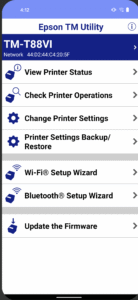
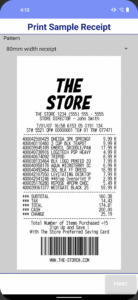
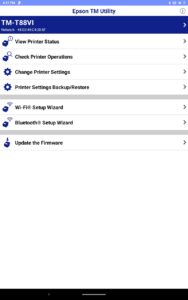
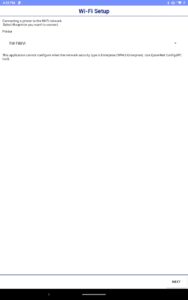
This app enables you to setup wireless connection, configure printer settings and print sample receipts from your Android phone or tablet to a Epson receipt printer.
Features
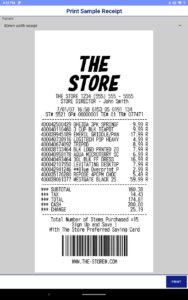
-Print sample receipt
-Print customized receipt
-Observe printer status
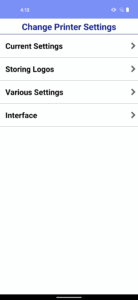
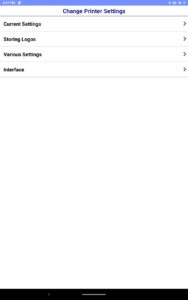
-Configure printer settings
-Quick pairing by NFC/QR code
-Easy print by NFC/QR code
-Printer Settings Backup/Restore(TM-T20IV/TM-T20IV-SP/TM-T82IV/TM-T88VII/TM-L100/TM-P20II/TM-P80II/TM-m30III/TM-m30III-H/TM-m50II/TM-m50II-H/TM-U220II)
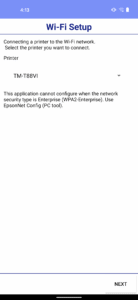
-Setup wizard (Wireless LAN / Bluetooth)
-Firmware update
Supported Printers
-TM-H6000V
-TM-L90 Liner-Free Label Printer Model
-TM-L100
-TM-m10
-TM-m30
-TM-m30II
-TM-m30II-H
-TM-m30II-S
-TM-m30II-SL
-TM-m30II-NT
-TM-m30III
-TM-m30III-H
-TM-m50
-TM-m50II
-TM-m50II-H
-TM-P20
-TM-P20II
-TM-P60
-TM-P60II
-TM-P80
-TM-P80II
-TM-T20II
-TM-T20II-m
-TM-T20III
-TM-T20IV
-TM-T20IV-SP
-TM-T70II
-TM-T82III
-TM-T82IV
-TM-T88V
-TM-T88VI
-TM-T88VI-iHUB
-TM-T88VII
-TM-U220 Wi-Fi
-TM-U220II
-EU-m30
Supported Customer Displays
-DM-D30
-DM-D70
Interface
-Wireless LAN
-Bluetooth
Revision History
Ver.3.40.1
- Fixed minor bug.
Ver.3.38.0
- For Users in Europe, the Middle East and Africa European Radio Equipment Directive.
Changes in the enhanced security specifications.
Ver.3.37.0
- Fixed minor bug.
Ver.3.36.0
- Added the support printer. (TM-T20IV, TM-T20IV-SP, TM-T82IV)
- Fixed minor bug.
Ver.3.35.0
- Added setting items
Bluetooth Low Energy (Bluetooth)
Auto Connection (Cloud Service)
- Improved firmware update function. (Cloud Service)
Ver.3.32.0
- Added the support printer. (TM-U220II)
- Added setting items
Roaming Setting (Wi-Fi)
Ver.3.30.2
- The software license agreement has been updated.
Please check the software license agreement from the license menu on the information screen.
Ver.3.30.0
- Added the support printer. (TM-m50II-H)
Ver.3.28.0
- Added the support printer. (TM-m50II)
Ver.3.27.0
- Added the support printer. (TM-m30III, TM-m30III-H)
Ver.3.26.0
- Fixed minor bug.
Ver.3.25.0
- Added the support printer. (TM-P20II, TM-P80II)
Ver.3.23.0
- Added the support printer. (TM-L100)
Ver.3.22.0
- Added the support printer. (TM-T88VII, TM-L90 Liner-Free Label Printer Model, EU-m30)
Ver.3.19.0
- Added the support printer. (TM-m30II-SL)
Ver.3.18.0
- Added the support customer display. (DM-D70)
Ver.3.17.0
- Added the support printer. (TM-m50)
Ver.3.16.1
- Added the support printer. (TM-m30II-S, TM-m30II-NT)
Ver.3.14.1
- Fixed minor bug.
Ver.3.14.0
- Added the support printer. (TM-m30II, TM-m30II-H)
Ver.3.13.0
- Improved firmware update function.
- Support Android 10.
Ver.3.12.0
- Support OT-WL06. (TM-H6000V, TM-T20III, TM-T82III, TM-T88VI, TM-T88VI-iHUB)
Ver.3.11.0
- Added the support printer. (TM-T20III, TM-T82III)
Ver.3.10.0
- Support the setting of 'Desktop Mode' for TM-P20.
Features
-Print sample receipt
-Print customized receipt
-Observe printer status
-Configure printer settings
-Quick pairing by NFC/QR code
-Easy print by NFC/QR code
-Printer Settings Backup/Restore(TM-T20IV/TM-T20IV-SP/TM-T82IV/TM-T88VII/TM-L100/TM-P20II/TM-P80II/TM-m30III/TM-m30III-H/TM-m50II/TM-m50II-H/TM-U220II)
-Setup wizard (Wireless LAN / Bluetooth)
-Firmware update
Supported Printers
-TM-H6000V
-TM-L90 Liner-Free Label Printer Model
-TM-L100
-TM-m10
-TM-m30
-TM-m30II
-TM-m30II-H
-TM-m30II-S
-TM-m30II-SL
-TM-m30II-NT
-TM-m30III
-TM-m30III-H
-TM-m50
-TM-m50II
-TM-m50II-H
-TM-P20
-TM-P20II
-TM-P60
-TM-P60II
-TM-P80
-TM-P80II
-TM-T20II
-TM-T20II-m
-TM-T20III
-TM-T20IV
-TM-T20IV-SP
-TM-T70II
-TM-T82III
-TM-T82IV
-TM-T88V
-TM-T88VI
-TM-T88VI-iHUB
-TM-T88VII
-TM-U220 Wi-Fi
-TM-U220II
-EU-m30
Supported Customer Displays
-DM-D30
-DM-D70
Interface
-Wireless LAN
-Bluetooth
Revision History
Ver.3.40.1
- Fixed minor bug.
Ver.3.38.0
- For Users in Europe, the Middle East and Africa European Radio Equipment Directive.
Changes in the enhanced security specifications.
Ver.3.37.0
- Fixed minor bug.
Ver.3.36.0
- Added the support printer. (TM-T20IV, TM-T20IV-SP, TM-T82IV)
- Fixed minor bug.
Ver.3.35.0
- Added setting items
Bluetooth Low Energy (Bluetooth)
Auto Connection (Cloud Service)
- Improved firmware update function. (Cloud Service)
Ver.3.32.0
- Added the support printer. (TM-U220II)
- Added setting items
Roaming Setting (Wi-Fi)
Ver.3.30.2
- The software license agreement has been updated.
Please check the software license agreement from the license menu on the information screen.
Ver.3.30.0
- Added the support printer. (TM-m50II-H)
Ver.3.28.0
- Added the support printer. (TM-m50II)
Ver.3.27.0
- Added the support printer. (TM-m30III, TM-m30III-H)
Ver.3.26.0
- Fixed minor bug.
Ver.3.25.0
- Added the support printer. (TM-P20II, TM-P80II)
Ver.3.23.0
- Added the support printer. (TM-L100)
Ver.3.22.0
- Added the support printer. (TM-T88VII, TM-L90 Liner-Free Label Printer Model, EU-m30)
Ver.3.19.0
- Added the support printer. (TM-m30II-SL)
Ver.3.18.0
- Added the support customer display. (DM-D70)
Ver.3.17.0
- Added the support printer. (TM-m50)
Ver.3.16.1
- Added the support printer. (TM-m30II-S, TM-m30II-NT)
Ver.3.14.1
- Fixed minor bug.
Ver.3.14.0
- Added the support printer. (TM-m30II, TM-m30II-H)
Ver.3.13.0
- Improved firmware update function.
- Support Android 10.
Ver.3.12.0
- Support OT-WL06. (TM-H6000V, TM-T20III, TM-T82III, TM-T88VI, TM-T88VI-iHUB)
Ver.3.11.0
- Added the support printer. (TM-T20III, TM-T82III)
Ver.3.10.0
- Support the setting of 'Desktop Mode' for TM-P20.
Download Epson TM Utility APK
Fast, free and safe download.
APK Permissions 20
- android.permission.ACCESS_COARSE_LOCATION
- android.permission.ACCESS_FINE_LOCATION
- android.permission.ACCESS_NETWORK_STATE
- android.permission.ACCESS_WIFI_STATE
- android.permission.BLUETOOTH
- android.permission.BLUETOOTH_ADMIN
- android.permission.BLUETOOTH_CONNECT
- android.permission.BLUETOOTH_SCAN
- android.permission.CAMERA
- android.permission.CHANGE_NETWORK_STATE
- android.permission.CHANGE_WIFI_STATE
- android.permission.FOREGROUND_SERVICE
- android.permission.INTERNET
- android.permission.NFC
- android.permission.POST_NOTIFICATIONS
- android.permission.READ_EXTERNAL_STORAGE
- android.permission.RECEIVE_BOOT_COMPLETED
- android.permission.WAKE_LOCK
- android.permission.WRITE_EXTERNAL_STORAGE
- com.epson.tmutility.DYNAMIC_RECEIVER_NOT_EXPORTED_PERMISSION
APK Verified
The cryptographic signature guarantees that the file is safe to install and was not tampered with in any way.
Similar in Business


More by Seiko Epson Corporation


Frequently Asked Questions about Epson TM Utility APK
This variant is built for devices that report `arm64-v8a, armeabi-v7a, x86, x86_64` as their primary ABI. If your device's CPU matches, this is the smallest, fastest version to install.
Yes — the APK's signature has been cryptographically verified against the publisher's signing key. The SHA-256 hash is shown in the File Information panel so you can independently confirm the file matches the original release.
Android 21 (API level 35) or newer. Older devices will refuse the install.
Install a free app like 'CPU-Z' or 'Droid Hardware Info' from the Play Store and look at the ABI / Instruction Set row. Most phones made after 2017 are arm64-v8a; if in doubt, download the universal variant.
All variants are functionally identical — same features, same version. They differ only in which CPU architectures the native code is compiled for, and (sometimes) which screen densities the included graphics target. Pick the one that matches your device for the smallest install size, or pick 'Universal' if you're unsure.